Getting connected in Eswatini is easier than you might think, especially when it comes to purchasing a local SIM card. Whether you’re visiting for business, adventure, or to explore the rich culture, having reliable mobile service can make all the difference.
From understanding the best providers to navigating registration requirements, knowing how to get your SIM set up will save you time and hassle. Plus, with competitive data plans available, staying online while on the go has never been more affordable.
If you want to avoid unexpected charges and enjoy smooth connectivity throughout your trip, this guide is for you. Let’s dive in and explore everything you need to know about buying a SIM card in Eswatini!
Choosing the Right Mobile Network Provider in Eswatini
Understanding the Major Players
Eswatini’s mobile market is dominated by a few key providers, each offering unique advantages depending on what you need. MTN Eswatini is the largest and most widely recognized provider, known for its extensive coverage and fast data speeds.
If you’re planning to explore rural areas or need reliable service in less populated parts, MTN is often the safest bet. On the other hand, Swazi Mobile offers competitive pricing and decent urban coverage, which might appeal to budget-conscious travelers.
Knowing which network fits your itinerary can save you from frustrating dead zones or slow connections.
Coverage Considerations for Travelers
When picking a provider, coverage maps are your best friend. Cities like Mbabane and Manzini have great service across all carriers, but if you plan on venturing into the countryside or national parks, you’ll want to prioritize network strength.
MTN consistently scores well in these areas, while some smaller providers may struggle. I remember on one trip when I chose a lesser-known carrier, and suddenly I lost signal during a scenic drive outside town—definitely something to avoid if you depend on GPS or need to stay connected for safety reasons.
Comparing Plans and Services
Each provider offers a range of prepaid SIM card options, from basic voice and text bundles to data-heavy plans for streaming or remote work. Some plans include free social media access or discounted rates on international calls, which can be a bonus if you’re keeping in touch with family or colleagues abroad.
Keep an eye out for promotional deals, especially around holidays or local events, as these can provide significant savings. I’ve personally found that taking a few minutes to compare the latest offers online or at the store pays off in the long run.
Navigating the SIM Card Purchase Process
Where to Buy Your SIM Card
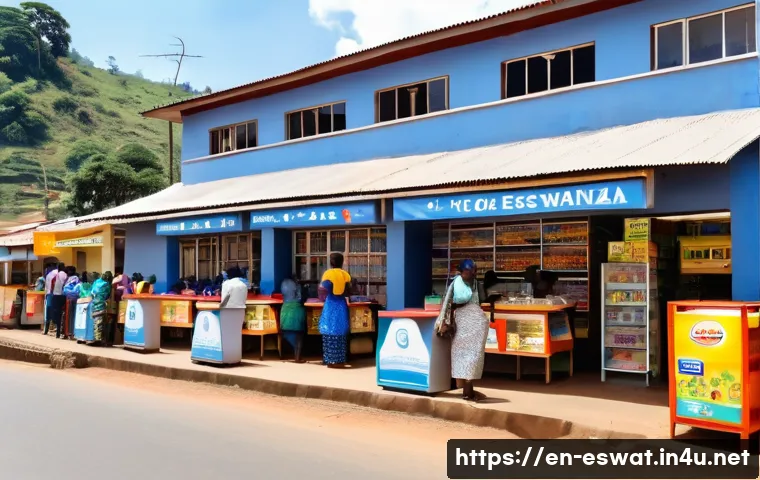
You can purchase SIM cards at major airports, mobile provider stores, or authorized retail outlets throughout Eswatini. Buying at the airport might be the most convenient option, but prices can sometimes be a bit higher compared to city shops.
If you have time, heading to an official provider’s store in Mbabane or Manzini is a good idea—they usually have staff who can assist with setup and answer questions.
Avoid buying from street vendors, as these SIM cards may be unregistered or unreliable.
Required Documentation and Registration
Eswatini requires SIM card registration, so you’ll need to present a valid passport or national ID. The process is straightforward and usually completed in minutes at the point of purchase.
Some providers might also ask for a local address, but this can often be the hotel or guesthouse where you’re staying. From my experience, having your documents ready beforehand speeds up the process and helps avoid unnecessary delays, especially during busy travel seasons.
Activating and Testing Your SIM
Once you’ve purchased your SIM card, activation is typically instant or takes a few minutes. It’s a good idea to test calls, texts, and data before leaving the store to ensure everything works properly.
If you run into any issues, staff are usually helpful with troubleshooting or explaining how to top up credit. I recall a time when my data wasn’t working immediately, and the store clerk patiently walked me through the settings to get connected—it’s these little touches that make a big difference.
Understanding Data Plans and Pricing
Typical Cost Structure
Data pricing in Eswatini is surprisingly affordable compared to many other African countries. You’ll find plans starting as low as 20 SZL (about $1.20 USD) for small data bundles, scaling up to unlimited or high-volume options for heavier users.
Voice and SMS bundles tend to be inexpensive as well, making it easy to stay connected without breaking the bank. I usually recommend choosing a plan that matches your expected usage rather than just going for the cheapest, since running out of data mid-trip can be frustrating.
Popular Bundles and Offers
Many providers offer daily, weekly, and monthly bundles tailored to tourists and short-term visitors. For example, some plans include unlimited WhatsApp or Facebook access, which is great if you mainly use social media for communication.
Others bundle voice minutes with data, which might be better if you expect to make local calls. Watching for combo deals during your visit can help stretch your budget further—during a recent trip, I snagged a weekend plan that included double data at no extra charge, which was perfect for streaming and navigation.
How to Monitor and Recharge Your Balance
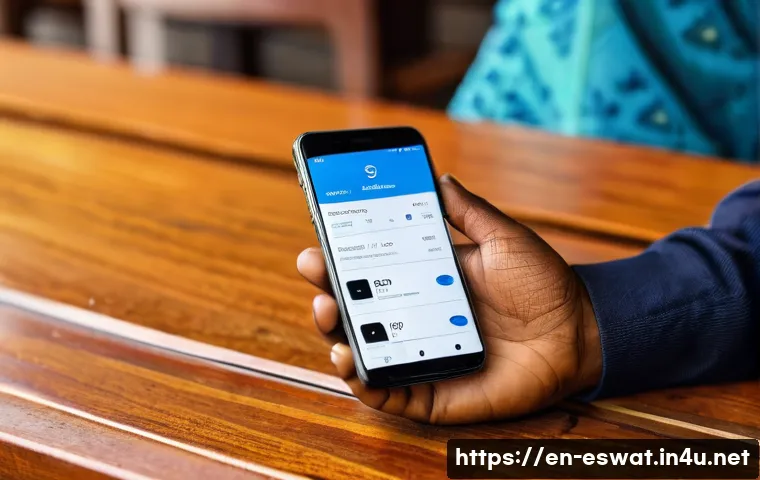
Keeping track of your data usage is crucial to avoid unexpected charges. Most providers offer easy USSD codes or mobile apps to check your balance and buy additional credit.
I always recommend downloading the provider’s app if possible, since it often allows for automatic top-ups and shows detailed usage statistics. Additionally, recharging can be done at convenience stores, mobile shops, or even online, which adds a lot of flexibility if you’re on the move.
Practical Tips for Using Your SIM in Eswatini
Managing Connectivity in Remote Areas
Even with good coverage, certain remote parts of Eswatini might experience weak signals or intermittent service. Planning ahead by downloading offline maps or important information can save you headaches.
I remember hiking near Malolotja Nature Reserve and relying on offline GPS because mobile data was spotty. It’s also wise to keep your phone battery charged and carry a power bank if you expect to be away from power sources for long periods.
Using Mobile Internet Safely
Public Wi-Fi isn’t widespread or always secure in Eswatini, so relying on your SIM’s data is often safer. However, it’s still important to practice good digital hygiene—avoid accessing sensitive accounts on public networks, use VPNs if possible, and keep your device’s software updated.
From personal experience, using a VPN while traveling has given me peace of mind, especially when handling work emails or banking.
Customer Support and Troubleshooting
If you encounter issues, don’t hesitate to visit a provider’s store or call their customer service. Staff are generally knowledgeable and can help with problems ranging from SIM activation to billing questions.
In my travels, a quick visit to an MTN store once resolved a confusing billing error in under 10 minutes, which saved me a lot of stress. Keeping your SIM card purchase receipt is helpful if you need to claim refunds or replacements.
Comparing Popular SIM Cards and Their Features
| Provider | Coverage | Starting Data Bundle | Price (SZL) | Special Features |
|---|---|---|---|---|
| MTN Eswatini | Nationwide (Excellent) | 500 MB | 20 | Fast 4G, free social media bundles |
| Swazi Mobile | Urban Focused | 300 MB | 15 | Budget-friendly, good voice call rates |
| Eswatini Mobile | Selective Coverage | 1 GB | 30 | Data rollover, weekend specials |
Preparing Your Phone and SIM for Use in Eswatini
Phone Compatibility and Unlocking

Before buying a SIM, make sure your phone is unlocked and compatible with Eswatini’s GSM networks. Most modern smartphones support the frequencies used locally, but it’s worth double-checking to avoid surprises.
I once had a friend who brought a locked phone from another country and ended up having to rent a device locally—definitely something to avoid with a quick check beforehand.
SIM Card Sizes and Installation
SIM cards come in standard, micro, and nano sizes, so it’s important to know which one fits your phone. Most providers offer multi-size SIMs that can be snapped to fit different slots.
When inserting the SIM, be gentle and follow the provider’s instructions or ask for help if you’re unsure. I’ve personally damaged a SIM card once by forcing it in the wrong way, and it took a while to replace it.
Setting Up Mobile Data and APN Settings
Usually, your SIM will automatically configure your phone’s APN settings for mobile data, but if it doesn’t, you may need to enter them manually. Providers’ websites or customer service can guide you through this.
I recall setting up a colleague’s phone who wasn’t getting data after switching SIMs—it was a quick fix once the APN settings were adjusted correctly.
Making the Most of Your Mobile Experience
Using Apps to Enhance Connectivity
Downloading essential apps like WhatsApp, Google Maps, and local transport apps can make your trip smoother. Many of these apps work well even on limited data plans and help you navigate communication and transportation efficiently.
I always recommend installing these before arrival to avoid hefty roaming charges or slow downloads.
Balancing Cost and Convenience
While unlimited data plans are tempting, they’re not always necessary depending on your usage. For light users who mainly check emails and social media, smaller bundles can be more economical.
I learned this the hard way when I bought a large data plan but barely used it, leading to wasted money. Keeping track of your actual needs and adjusting plans accordingly saves both money and hassle.
Staying Connected Beyond Your SIM
Consider combining your SIM card with portable Wi-Fi devices or tethering options if you travel with a group or multiple devices. This setup can be more cost-effective and reliable in some situations.
During a recent group trip, sharing a single data plan via hotspot made staying connected easier and cheaper for everyone involved.
Essential Local Etiquette When Using Mobile Services
Respecting Privacy and Data Usage
In Eswatini, as elsewhere, respecting others’ privacy when using mobile services is important. Avoid loud phone calls in public spaces and be mindful of data consumption when using shared Wi-Fi.
I noticed that locals tend to keep conversations discreet in public, which is a good practice to follow.
Supporting Local Businesses
Purchasing SIM cards and recharging at local shops supports small businesses and helps the local economy. I always make a point to buy from official retailers rather than online or from informal sellers, which ensures fair trade and better service.
This also helps you avoid counterfeit or unregistered SIMs.
Being Aware of Scams and Fraud
Like many places, Eswatini has occasional mobile scams, such as phishing messages or fake recharge offers. Always verify offers with official provider channels and never share your personal details or PINs.
I’ve heard stories from fellow travelers who almost fell for such scams, so staying vigilant is key to protecting your data and money.
In Conclusion
Choosing the right mobile network provider in Eswatini can greatly enhance your travel experience by keeping you connected and worry-free. With a clear understanding of coverage, plans, and local practices, you can avoid common pitfalls and enjoy seamless communication throughout your trip. Taking a little time to prepare and compare options will pay off in convenience and savings. Whether you’re exploring cities or remote nature spots, reliable mobile service is essential for both safety and enjoyment.
Useful Information to Keep in Mind
1. Always check the coverage maps before selecting a provider to ensure strong signal in your travel areas.
2. Purchase SIM cards from official stores or airports to avoid unregistered or unreliable products.
3. Have your passport or ID ready to speed up the SIM registration process and avoid delays.
4. Use provider apps to monitor your data usage and recharge easily on the go.
5. Practice safe mobile internet habits by using VPNs and avoiding sensitive transactions on public Wi-Fi.
Key Takeaways
When choosing a mobile network in Eswatini, prioritize providers with reliable nationwide coverage like MTN if you plan to travel beyond urban centers. Compare prepaid plans carefully to match your expected data and call needs without overspending. Always buy SIM cards from authorized retailers and complete the registration process with valid ID to ensure smooth activation. Lastly, managing your data usage with provider apps and practicing online safety will help you stay connected and secure throughout your visit.
Frequently Asked Questions (FAQ) 📖
Q: Where can I buy a local SIM card in Eswatini, and is it easy for tourists to get one?
A: You can purchase a local SIM card at major airports, official mobile provider shops, and many convenience stores throughout Eswatini. For tourists, the process is quite straightforward—just bring your passport for registration, and the staff will help you set it up.
From my experience, buying a SIM at the airport is the quickest option, allowing you to have service as soon as you land without any hassle.
Q: What are the main mobile network providers in Eswatini, and which one offers the best coverage and data plans?
A: The two primary providers are MTN Eswatini and Eswatini Mobile. MTN generally offers wider coverage, especially in rural areas, while Eswatini Mobile often has competitive data packages that might suit budget travelers.
When I traveled there, I found MTN’s network more reliable for streaming and navigation, but Eswatini Mobile’s prepaid plans were better if you want to save on costs.
It’s a good idea to check coverage maps based on where you’ll spend most of your time.
Q: Are there any registration or identification requirements for buying a SIM card in Eswatini?
A: Yes, Eswatini requires SIM card buyers to register their personal information using a valid ID, which for foreigners is usually your passport. This is a mandatory step to activate the SIM and comply with local regulations.
I remember that this process only took a few minutes, and once registered, your SIM was ready to use immediately. It’s best to have your passport handy to avoid delays.